Questions for your
FarmBot Tech demo.
By Fieldnote editorial · Checked 26 October 2026 · Independent of FarmBot Tech
On this page +
Prepare for a FarmBot Tech demo with a question checklist covering voice, records, planned satellite features, funding and access. This tool creates questions, not product answers.
What a mobile software demonstration looks like.
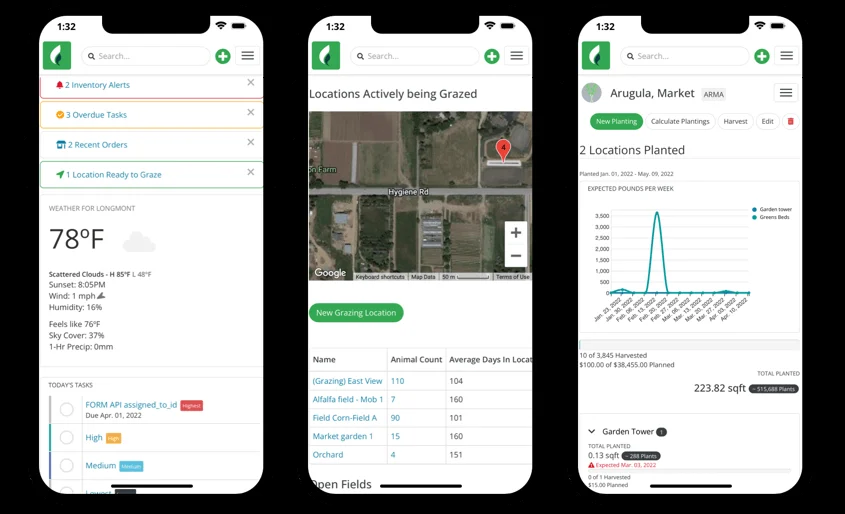
A comparison example published by Farmbrite. Use it to think about the tasks you want a provider to show; it is not a FarmBot Tech demonstration.
Published by Farmbrite. Watch on YouTube ↗. If embedded playback is restricted, use the original video link.
A useful demo starts before the call.
Tell the provider what you need to finish, then ask them to show it.
For a FarmBot Tech AI demo, a short set of specific questions is more useful than a request to “show everything.” Choose the topics below and take the list to the official provider. The questions are editorial prompts, not supported voice commands.
Make the conversation useful.
Choose what you need from farm software. We’ll put together questions you can take to the provider.
This is a local checklist tool. It does not connect to FarmBot Tech, record audio or analyze your farm.
Your questions
Keep a record of the answers.
Bring a low-stakes example.
Choose a task that does not require sharing confidential records. Ask how you would review and correct the result before relying on it.
Ask for the repeat.
After a demonstration, ask whether you can perform the same task yourself. Note any setup or support you needed.
Separate now from next.
Write “available” or “planned” beside each capability discussed, and ask the presenter to confirm your notes.
Follow up in writing.
Send the provider any unresolved questions about price, data export, regions or dates. Keep their reply with your evaluation notes.
Use a 20-minute agenda.
| Time budget | Activity | What you leave with |
|---|---|---|
| Before the call | Send a short task description and the output you need. | A shared brief without sensitive records. |
| First 5 minutes | Confirm available features, account access and the trial scope. | A list of what is live for your account. |
| Next 10 minutes | Follow one input through correction, retrieval and export. | A sample output and notes on manual steps. |
| Final 5 minutes | Review price, ownership, support and unanswered questions. | A written follow-up list and a named contact. |
Use a simple evaluation sheet.
Keep each provider’s promises and demonstration results in separate columns. An answer given in a sales call is not the same as a task you completed yourself.
Download the evaluation sheet ↓Blank CSV template. Works with spreadsheet applications. Contains no sample customer data or invented results.